
UX, Research, Feature Design, Figma
Spotify Games
These games are designed to be a fun engaging way for users to interact with the music they enjoy, their friends, and with the Spotify app.
Background
For this project I was tasked with adding a feature to an existing product and I chose to create a game that could be integrated into Spotify. I thought that by linking a music game to Spotify it would allow for a personalized experience, based on individual listening habits, for everyone who played it.
Interviews
To start the design process I interviewed five different people who use Spotify. Then I created sticky notes to create an affinity map to categorize my findings. Among the results I found a very strong connection between how people enjoy music and socializing, indicating good potential for success with a social game feature.
.png)
Personas
I then created some personas based on the responses from the interviews to use as a reference point going forward in the design process.
Alex Smith
University student
Alex has been passionate about music from a young age and prides himself on knowing the lyrics to almost every song in his favorite genres—pop, hip-hop, and alternative rock. He often challenge friends to see who knows the lyrics best and enjoy music-based games like Name That Tune and Guitar Hero. He sees singing as a fun, competitive activity rather than a serious pursuit.
Lisa Jones
Writer
Lisa has always loved music and grew up singing along to 2000s pop hits. Now juggling work and family life, she doesn’t have as much time to go out with friends, but she still loves bringing music into her home. Whether it’s singing along to throwback hits in the car, having impromptu dance parties with her kids, or enjoying a fun karaoke night with friends, music is one of her favorite ways to relax and have fun.
Competitor Analysis
Finding the right companies to use for competitor analysis was a bit tricky because there aren't any major music streaming providers that offer a game feature. As a result I decided to look at both music streaming services and some music games I found.
Name
Apple Music
YouTube Music
Amazon Music
Strengths
-
High resolution audio for audiophiles
-
Works really well with Apple’s ecosystem
-
They offer some exclusive content that other services do not
-
People can follow their friends and see what they are listening to in real time
-
Higher resolution audio than Spotify
-
Uses the Youtube algorithm to suggest music
-
Has lots of music videos and live performances
-
Youtube premium comes included with a subscription
-
High resolution audio for audiophile
-
Better pricing for those who are already Amazon Prime member
-
Integrated with Amazon’s Alexa
Weaknesses
-
While it works well with Apple’s ecosystem its less integrated elsewhere (but is available on android and web, not a given for Apple)
-
No free option available, there is a free trial but that’s it
-
No ability to create collaborative playlists
-
While the audio quality is higher than Spotify it falls short of both Apple and Amazon Music
-
The library of songs isn’t quite as complete as Spotify or Apple Music
-
Not so many social feature available
-
Has a less appealing UI, and it stands out next to Spotify and Apple Music which are much more polished
-
Despite offering a free tier the library is very limited without paying
-
Not great recommendations or personalized playlists
-
No real social features to speak of
User and Task Flows
Next I set about creating user and task flows to better understand how users will interact with the product and accomplish the tasks they are trying to complete.
.png)
Lo-Fi Wireframes
Next I began designing the screens for the game. This was a fun challenge because it involved recreating many existing elements of the Spotify app.
.png)
Home Screen
.png)
Games Tab

Game Set Up
.png)
Gameplay Screen
Hi-Fi Wireframes
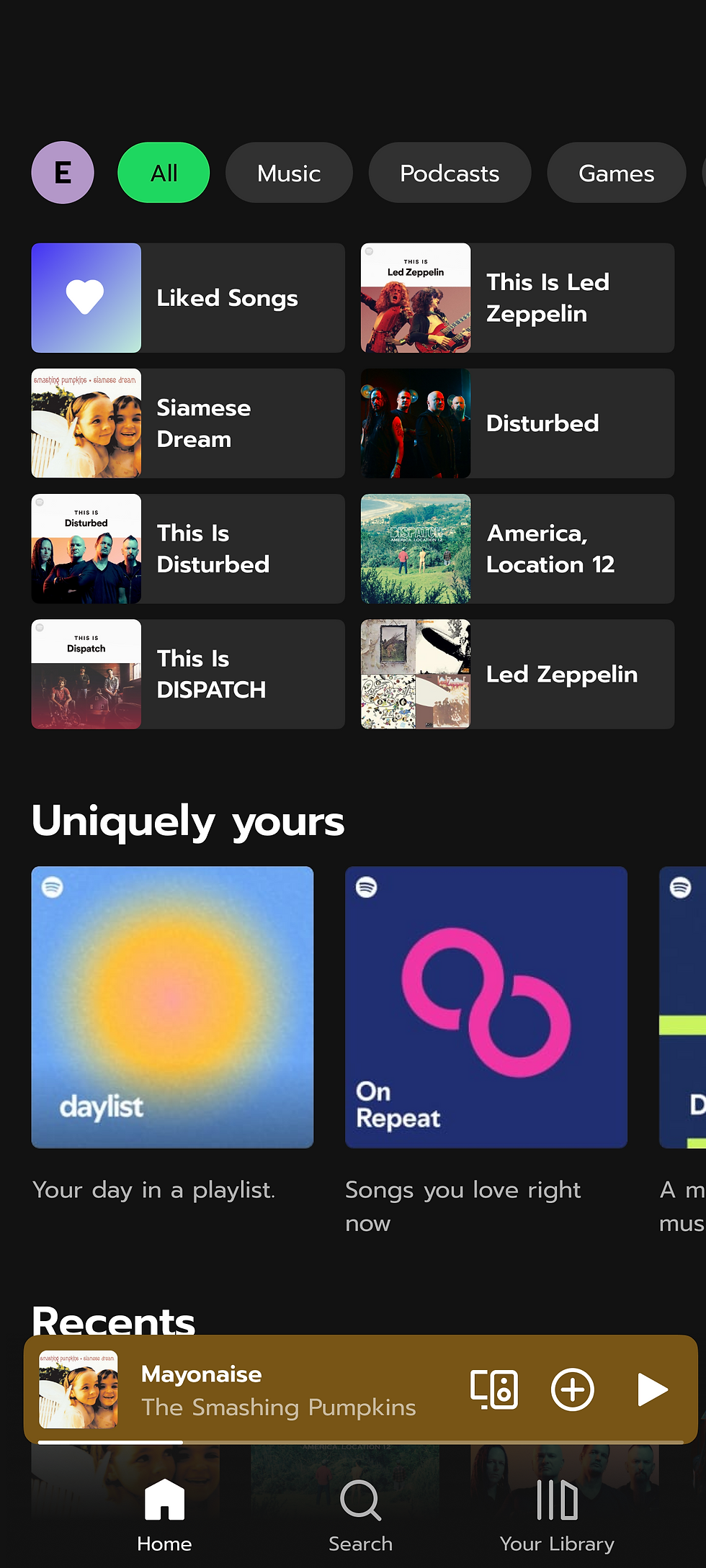
The next step was to take those low fi wireframes and upgrade them to high fidelity. This again was fun due to the additional element of having to match Spotify's existing design scheme.
.png)
Home Screen
.png)
Games Tab
.png)
Game Set Up
.png)
Gameplay Screen
Usability Testing
The high fidelity wireframes served as the basis for the prototype I created to conduct usability testing. I had users test my protoype to find out their thoughts on the games I created and how they fit into the overall Spotify app experience.

Iterations
After gathering the results of the usability test I made some iterations to my wireframes. Below are a couple of examples of the iterations that I made based on how users felt.
Iteration Example #1
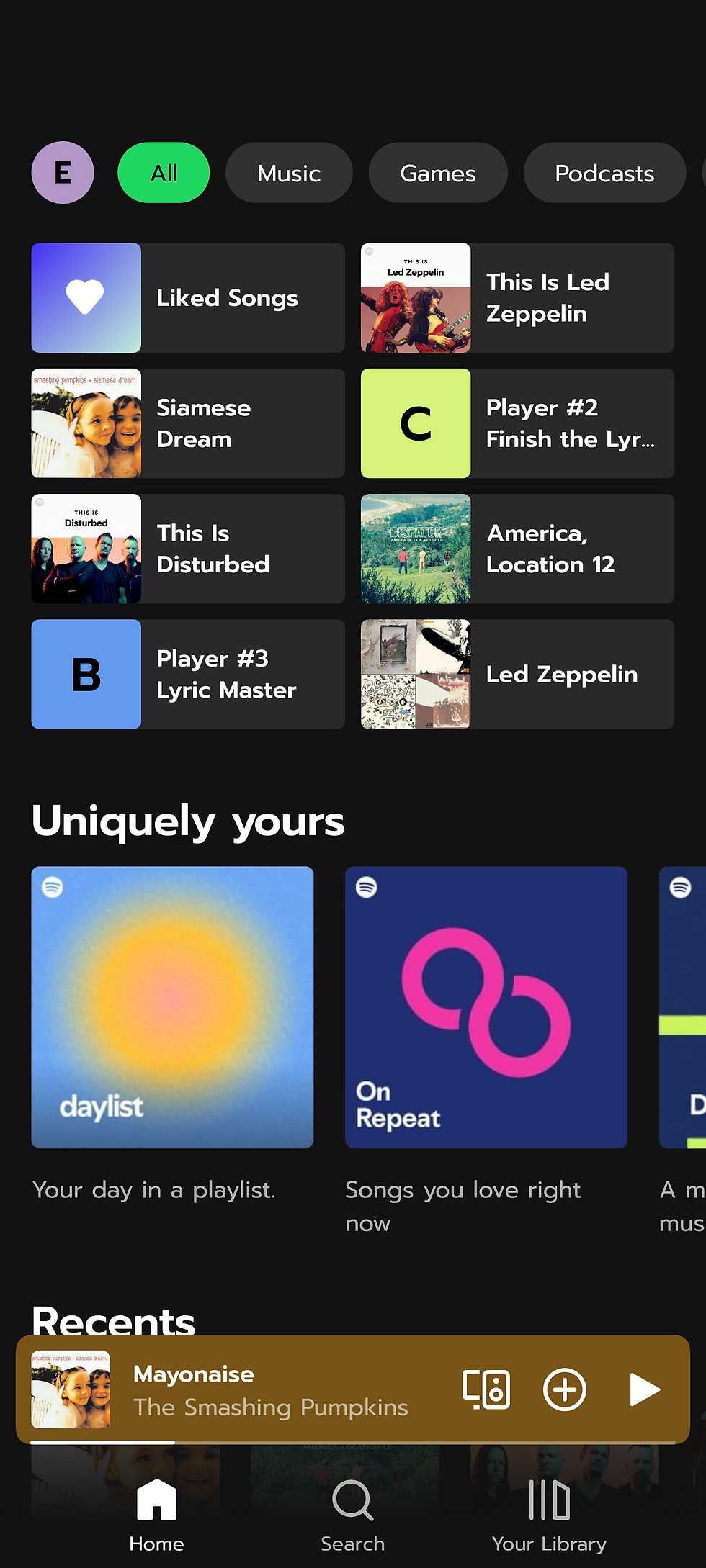
Users wanted to know how they would be able to continue playing online games they had started early. To solve this I put buttons to existing games on the top section of the home screen. This is the same place that users can resume listening to playlists and podcasts they recently listened to. So all the recently used items are in the same place.
.png)
Iteration Example #2
Users were also confused by the graphic shown when selecting what type of game to play. I replaced the graphic with a short example of what the game would look like to make each type of game a little more obvious to the users.
.png)
Final Wireframes
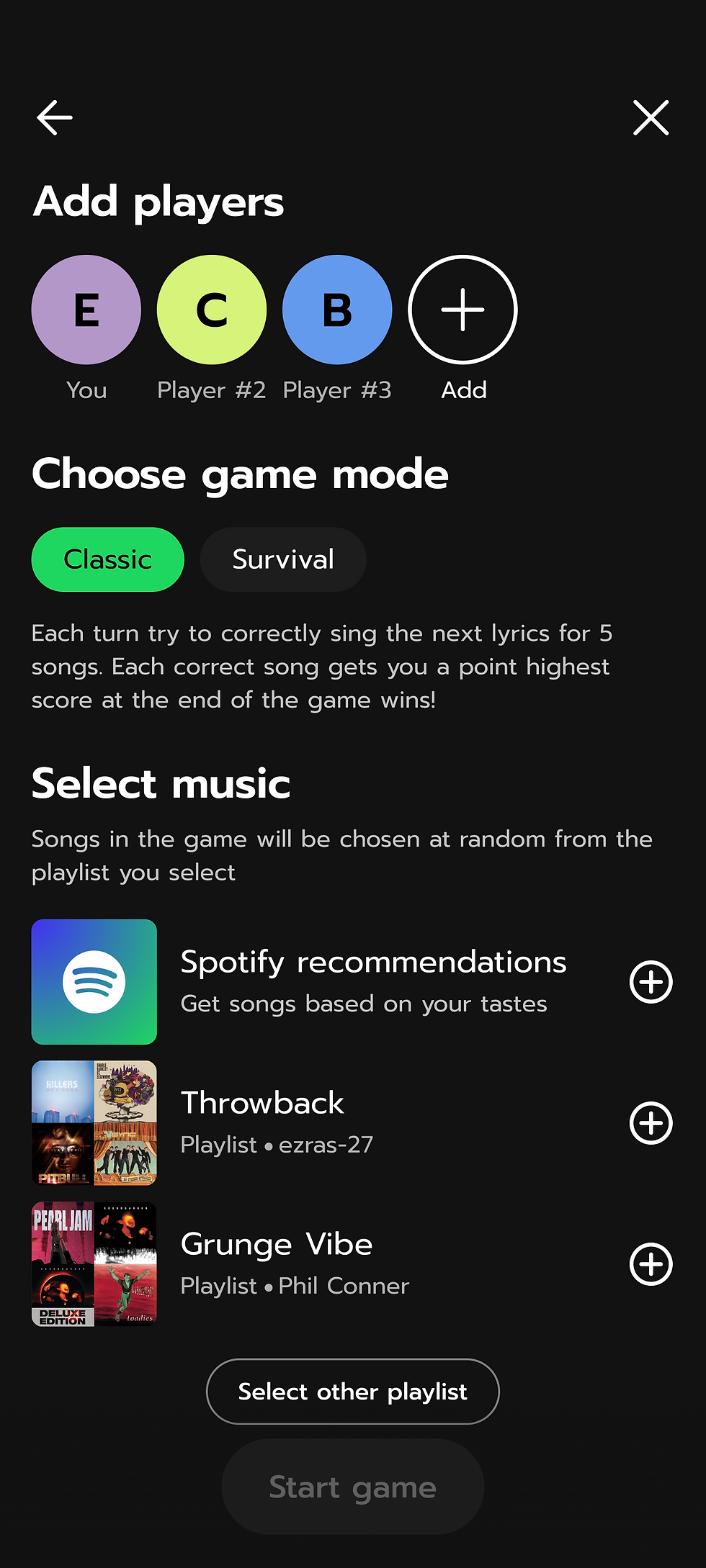
Taking into account all the feedback that I received from users I settled on these final wireframes. This game was designed to be a fun way for people to interact with Spotify, their favorite music, and socialize over music with their friends, all while fitting seamlessly with the existing Spotify experience.
.png)
Homescreen
.png)
Games Tab

Game Mode Select
.png)
Game Set Up

Turn Start Countdown
.png)
Gameplay Screen

Scores Page

Game Hub