.png)
UX, Research, App Design, Branding, Figma
Next Step Planner
Next Step Planner is an app designed for students who have ADHD and struggle with executive functioning skills. It is designed to empower these students to mange their homework time effectively and stay on top of their assignments.
Project Background
This project was a chance for me to design something that would have been extremely helpful for me as a student growing up. I set out to create something that would make managing nightly homework assignments and long term projects much more manageable.
Interviews
The interviews I conducted revealed some of the struggles that students with ADHD encounter in school. They experience challenges with managing long term assignments, not getting overwhelmed by busy worknights, and creating and sticking to homework schedules, among other things.
.png)
Competitor Analysis
Researching competitors was a difficult process. There weren't any competitors that I could find that worked in the same way that I wanted my app to function. So I found some similar educational services that shared some features and examined what some of their strengths and weaknesses were.
Name
Google Classroom
myHomework
ClassDojo
Strengths
-
Used commonly in schools, especially during remote/hybrid learning
-
Central hub for assignments and file sharing
-
Teachers can easily post and track student work
-
Basic calendar sync
-
Great for distributing materials and collecting submissions
-
Email summaries help parents somewhat stay informed
-
Widely used and established — trusted by schools and students
-
Cross-platform sync works smoothly
-
Works without a school integration
-
Supports basic organization — better than paper planners
-
Good for middle and high school students in general
-
Very strong teacher–parent communication channel
-
Easy for parents to stay connected
-
Positivity-based behavior feedback can help with emotional regulation
-
Kids often like earning points / feedback badges
-
Very popular in elementary schools
-
Students get recognition beyond grades
Weaknesses
-
Overwhelming interface for ADHD students — too many streams, tabs, lists
-
No visual scheduling or time estimation
-
No built-in planner tool
-
No subtask breakdown for big projects
-
Parents can only view summaries — no real involvement
-
Students often lose track of assignments in the feed
-
Not designed to build executive-function skills
-
Does not reduce anxiety or cognitive load — often increases it
-
No time estimation for tasks, doesn't help with workload planning
-
No ability to break down long-term projects into subtasks
-
No shared visibility of planning with parents or teachers
-
Doesn’t teach executive functioning strategies
-
Linear lists may feel overwhelming for students with ADHD
-
Not built for homework management or task scheduling
-
Does not integrate with time tracking or planning tools
-
Behavior points can feel oversimplified or shame-based, if overused
-
Not student-driven, mostly adults using it
-
Doesn’t teach planning, time estimation, or self-regulation strategies
-
No calendar for managing academic tasks
-
Not built for ADHD task breakdown or workload visibility
User and Task Flows
The task flows for this project were fairly simple. One of the main reasons for this was my desire to have the experience of using this app to have as few moving pieces as possible, as not to distract or overwhelm the users.
.png)
Personas
Personas were created based on what was learned from the interviews. These personas served as a representation of the types of users this app is supposed to help during the remainder of this project.
Mason Miller
7th Grade Student
He is currently a student studying computer science. He just moved in to a new apartment near campus with some other students from the same university. This is his first time living away from home or the university dorms, and he has never had to be responsible for the issues that can arise in a new apartment. These issues are made even more challenging when trying to learn how to deal with these problems all this while keeping up with his large amount of schoolwork.
Danielle Jones
9th Grade Student
She works as a UX writer for a large high tech company. She is about to move into a new city with her husband and two little kids. This is the first time she’s buying a place instead of renting and she is excited to be able to turn her new apartment into a home for her and her family for a long time. There are many items that need to be fixed in her new home and she knows it will be difficult to manage between work, kids, and learning her new community.
Lo-Fi Wireframes
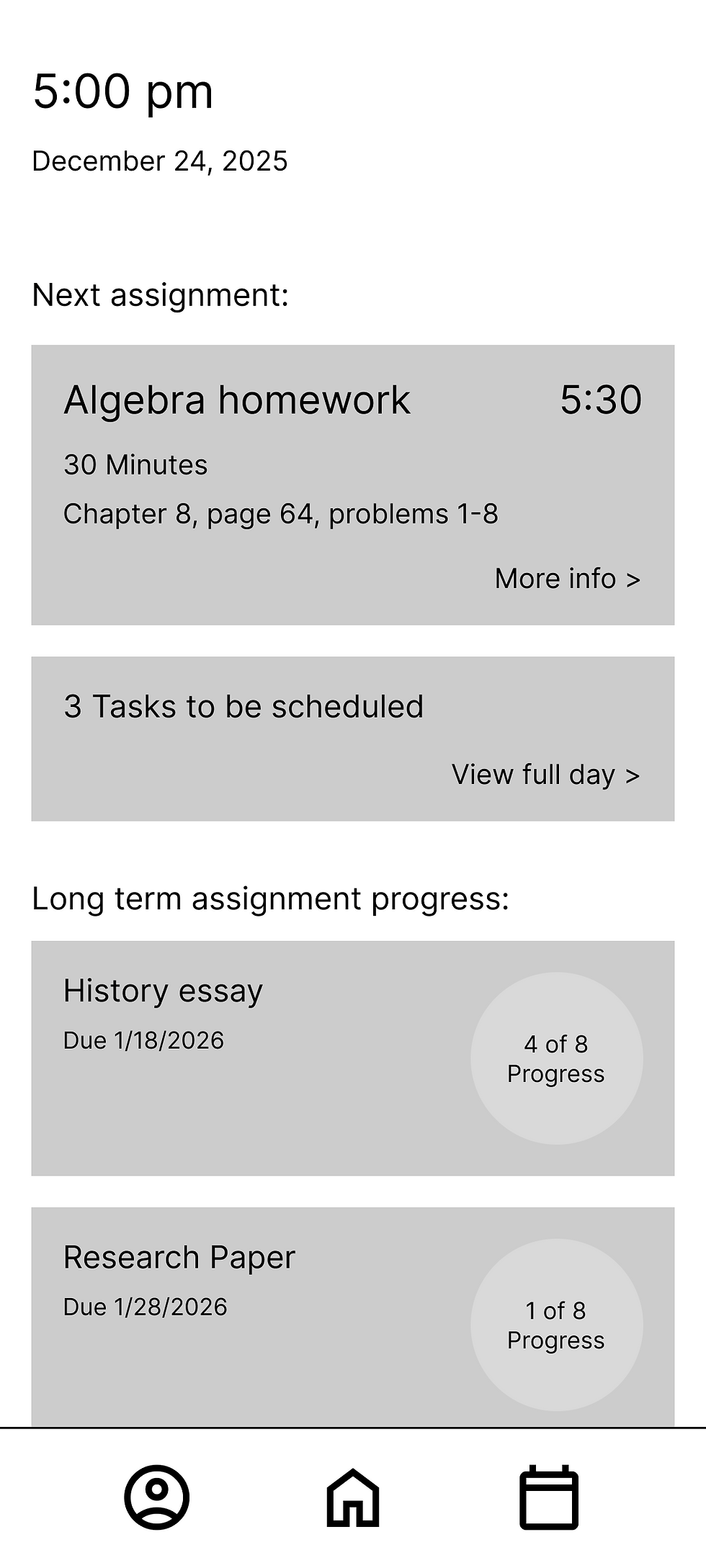
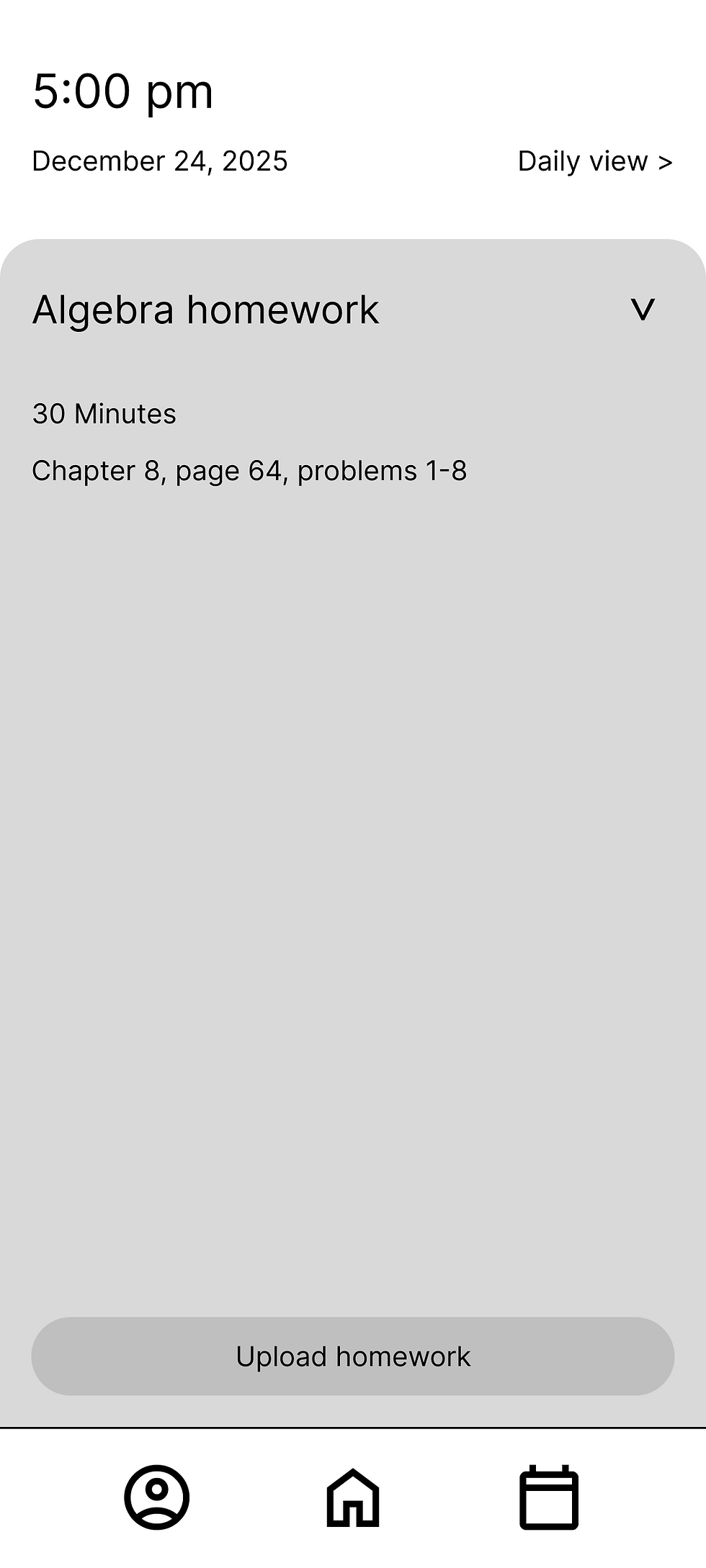
While designing the low fidelity wireframes I wanted to place an emphasis on having the next step be as clear as possible. The intention was to try and keep the user on track with their nightly homework and long term assignments.
.png)
Dashboard
.png)
Calendar Daily View
.png)
Calendar Weekly View
.png)
Homework Details
Hi-Fi Wireframes
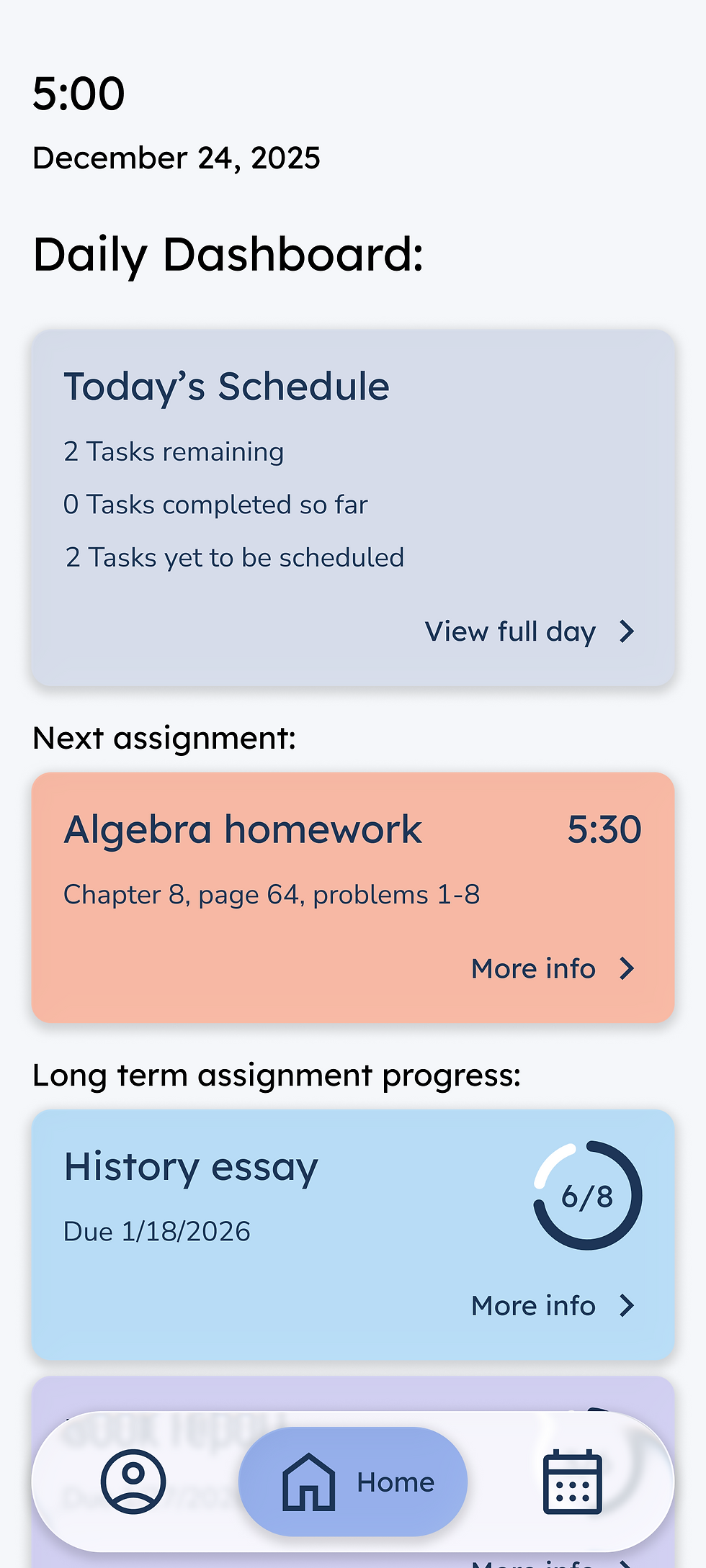
As always this step is the most fun for me, I love seeing the whole design start to come together. I did my best to try and make it so that it was easy for the user to find what was needed without too much extraneous information distracting from it.
.png)
Dashboard
.png)
Calendar Daily View
.png)
Calendar Weekly View
.png)
Homework Details
UI Kit
I created re-usable components on Figma to make the process of editing and adding additional screens to this app easier in the future.

Usability Testing
Using a prototype made from my high fidelity wireframes I asked a few people to test out my app and get feedback. The users were overall very interested in the concept of the app and provided some helpful feedback.

Iterations
There were some obvious room for improvement after getting feedback during usability testing. A few changes were made based on what the users suggested and I also made some changes to the aesthetics of the app.
Iteration Example #1
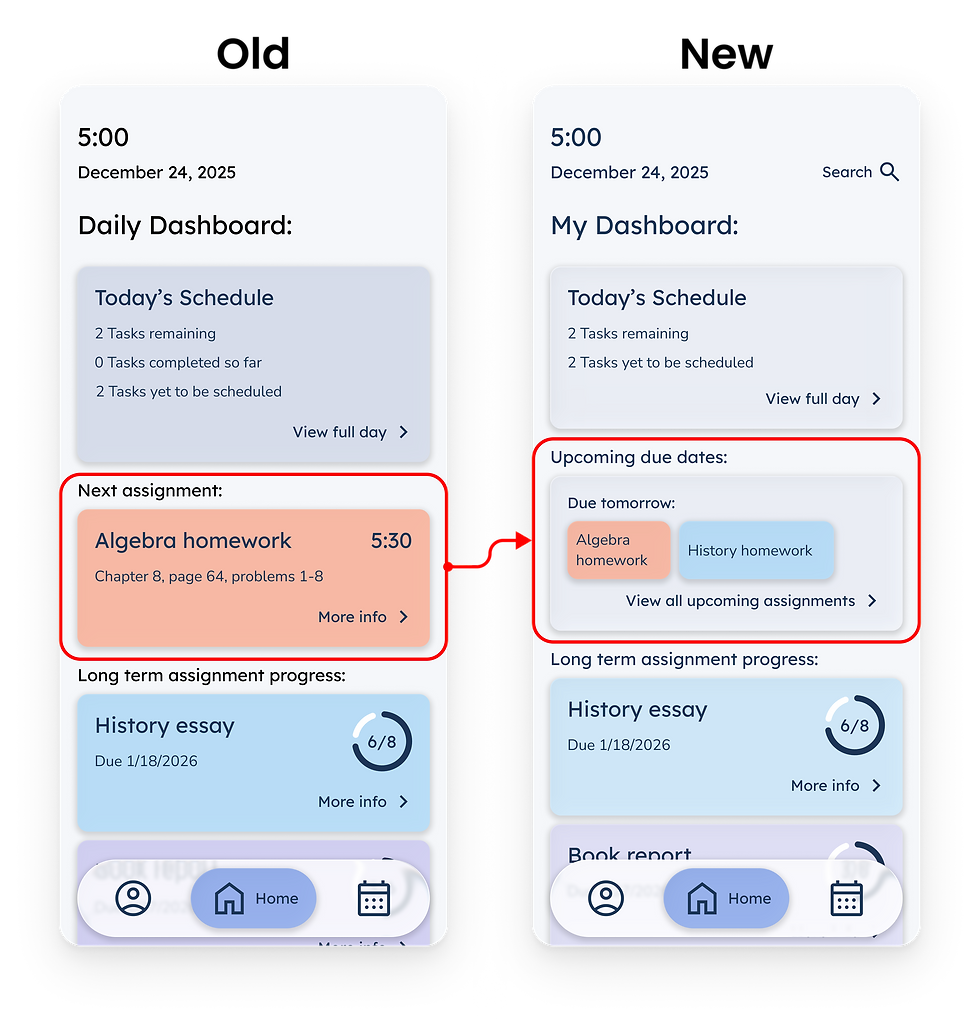
One of the things that many users expressed was the desire to have a way to view all the assignments that were due the next day. Previously you could only see the due date for each assignment individually and not see them all at once. So I switched the next assignment section on the dashboard to an upcoming due dates section, as well as added an extra page the show all the upcoming due dates for the week.
.png)
Iteration Example #2
All of the users that tested the prototype said that they expected the way to add assignments to their calendar would be through some kind of button that included a plus sign. So I changed the way that assignments are added which allowed me to also provide a way for users to manually add assignments and not just schedule the assignments that the teachers had uploaded to the app, additionally a way to have the long term assignment chunks and one time assignments in separate places.
.png)
Branding
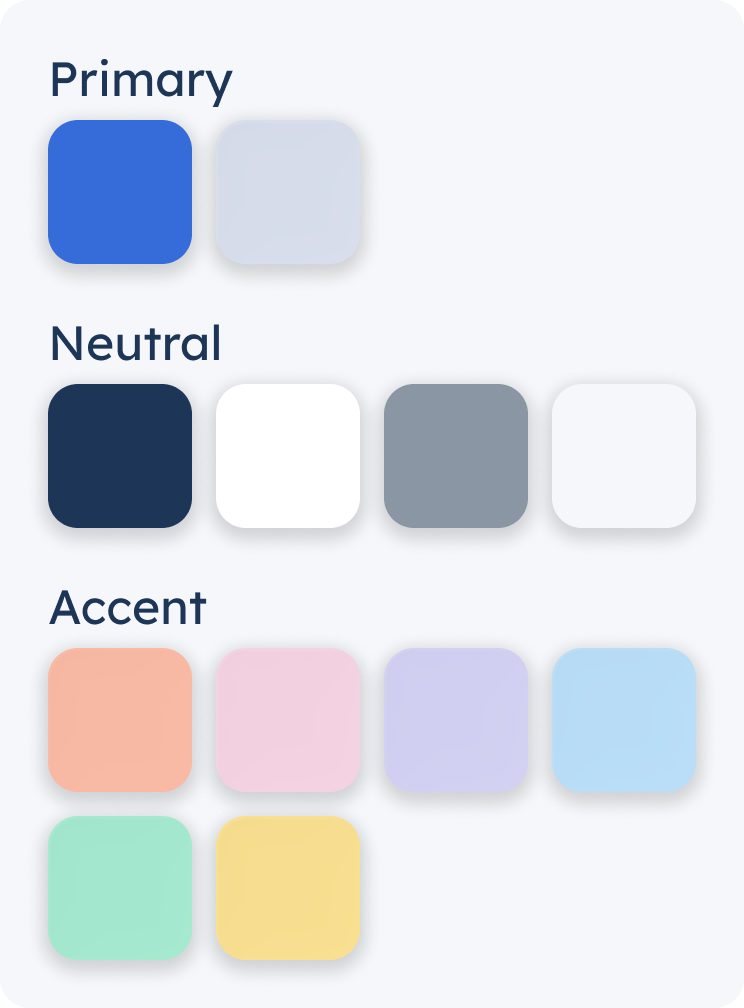
The branding decisions for this app were designed with the goal of keeping out any bright and distracting elements. I still, however, wanted to include some fun colors to allow for the ability to color code assignments by class. The logo was made to resemble the assignment cards that will be used on the calendar and a set of steps similar to the name of the app.
.png)

Updated Prototype
With the newest versions of the wireframes I updated the prototype. This showcases the most polished version of the wireframes for the Next Step Planner app.

Final Wireframes
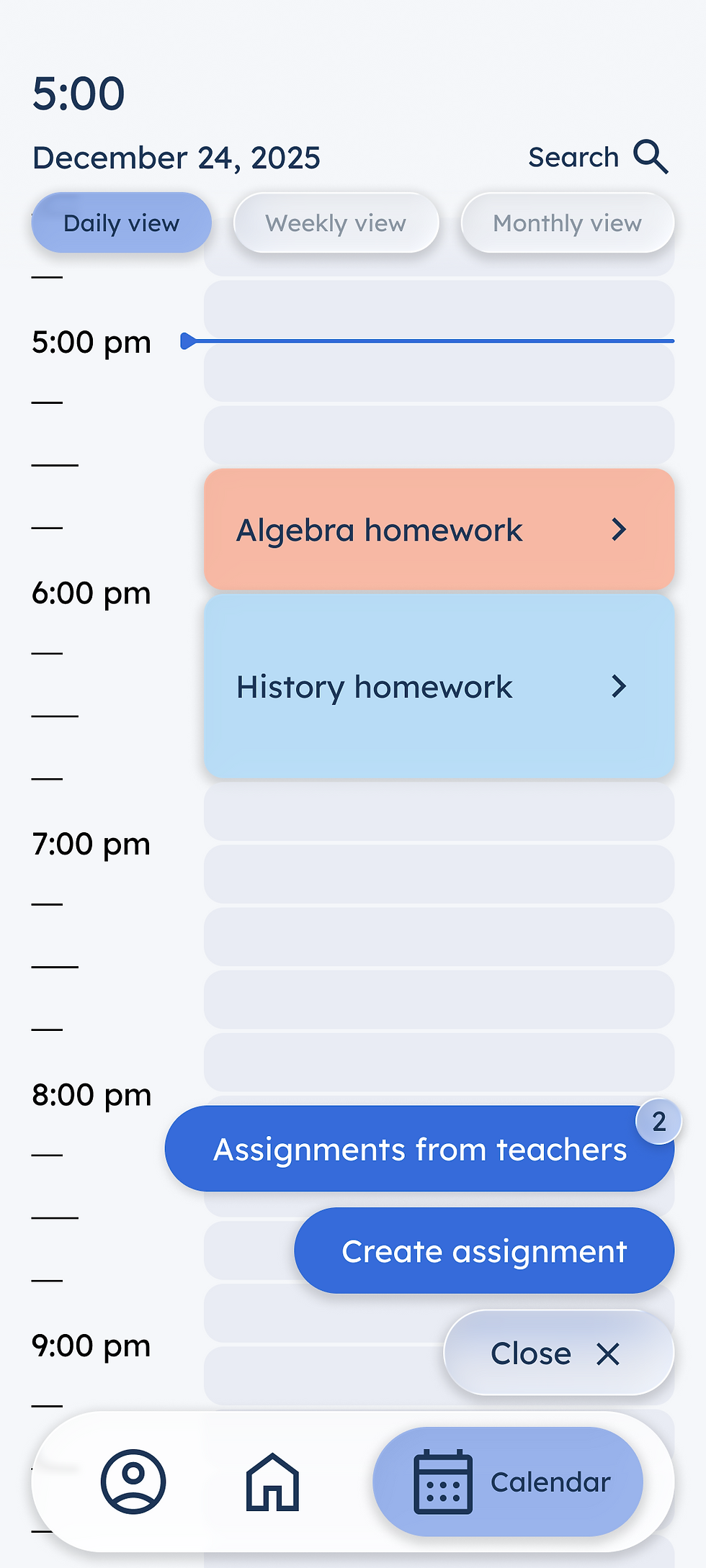
These are a handful of the final wireframes for the Next Step Planner app. I really enjoyed this project and am pretty proud of the final results. This turned into an app that I would have loved to have been able to use when I was back in grade school.
.png)
Dashboard
.png)
Daily Calendar View
.png)
Add Assignments
.png)
Weekly Calendar View
.png)
Monthly Calendar View
.png)
Homework Details
.png)
Long Term Assignments
.png)
Upcoming Due Dates